Everything in the app, in the order you’d use it.
Strata 1.1 for Mac and Windows. Every screen below is a capture of the build you download, and both plans get all of it.
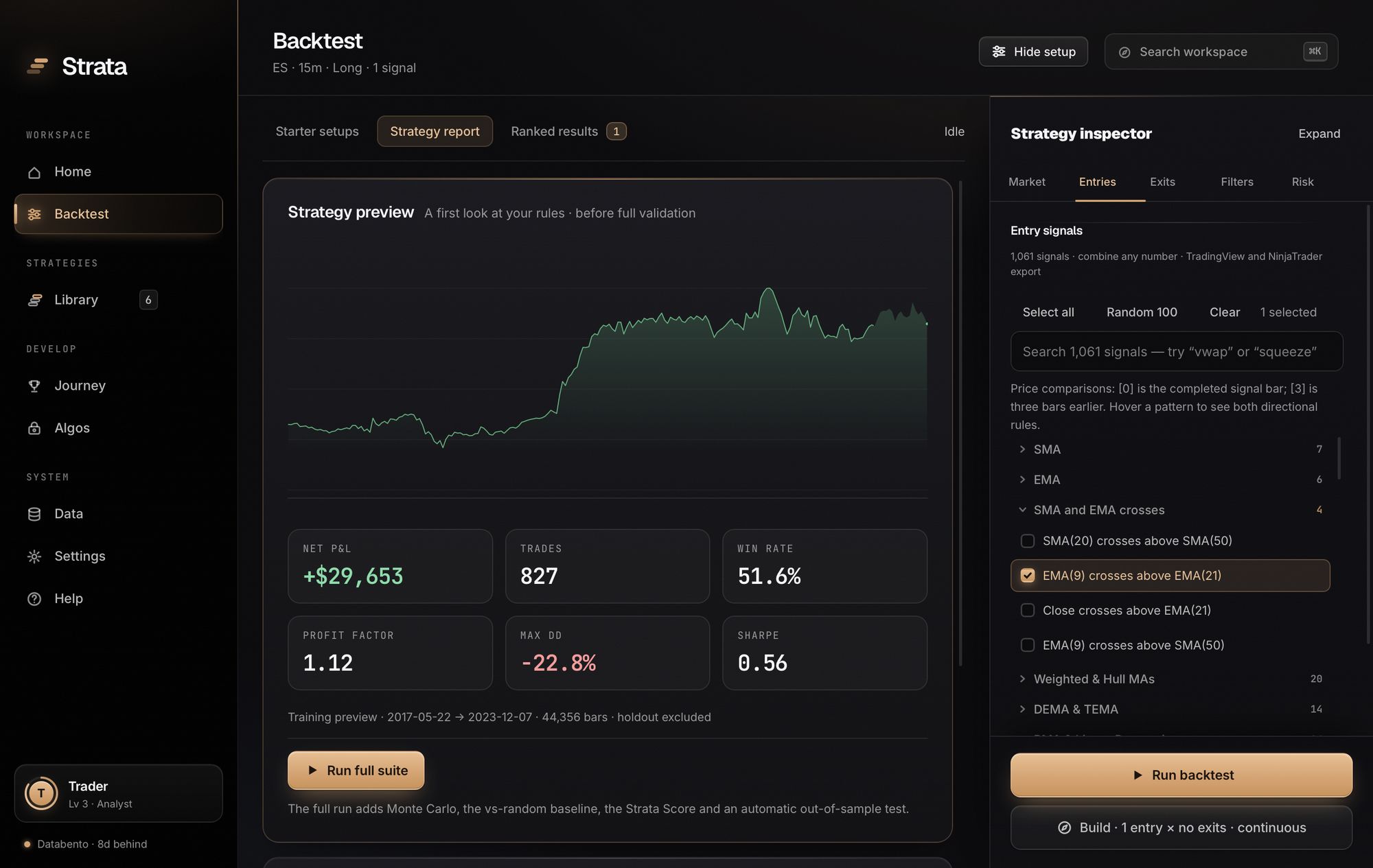
Compose a strategy, or let the search find one.
Start from a signal, a starter, or a strategy family. Run one exact setup, or point Build at a pool and let it search.
1,061 signals you can combine and read.
Every signal is a plain rule with editable settings, such as “EMA(9) crosses above EMA(21)”. Combine any number, add filters, exits and risk controls, and a preview redraws as you edit.
- 1,061 entry signals in 58 families
- Moving averages, oscillators, bands, VWAP, Ichimoku, candle structure, prior-day and weekly levels, opening range, gaps, session and time rules.
- Strategy families
- 15 Initial Balance setups and 8 inverse fair value gap setups, searchable as defined families with their own settings.
- Filters, exits and risk
- 13 entry filters, signal exits, stops and targets in ATR, ticks or points, trailing stops, time exits, entry windows, weekdays and daily limits.
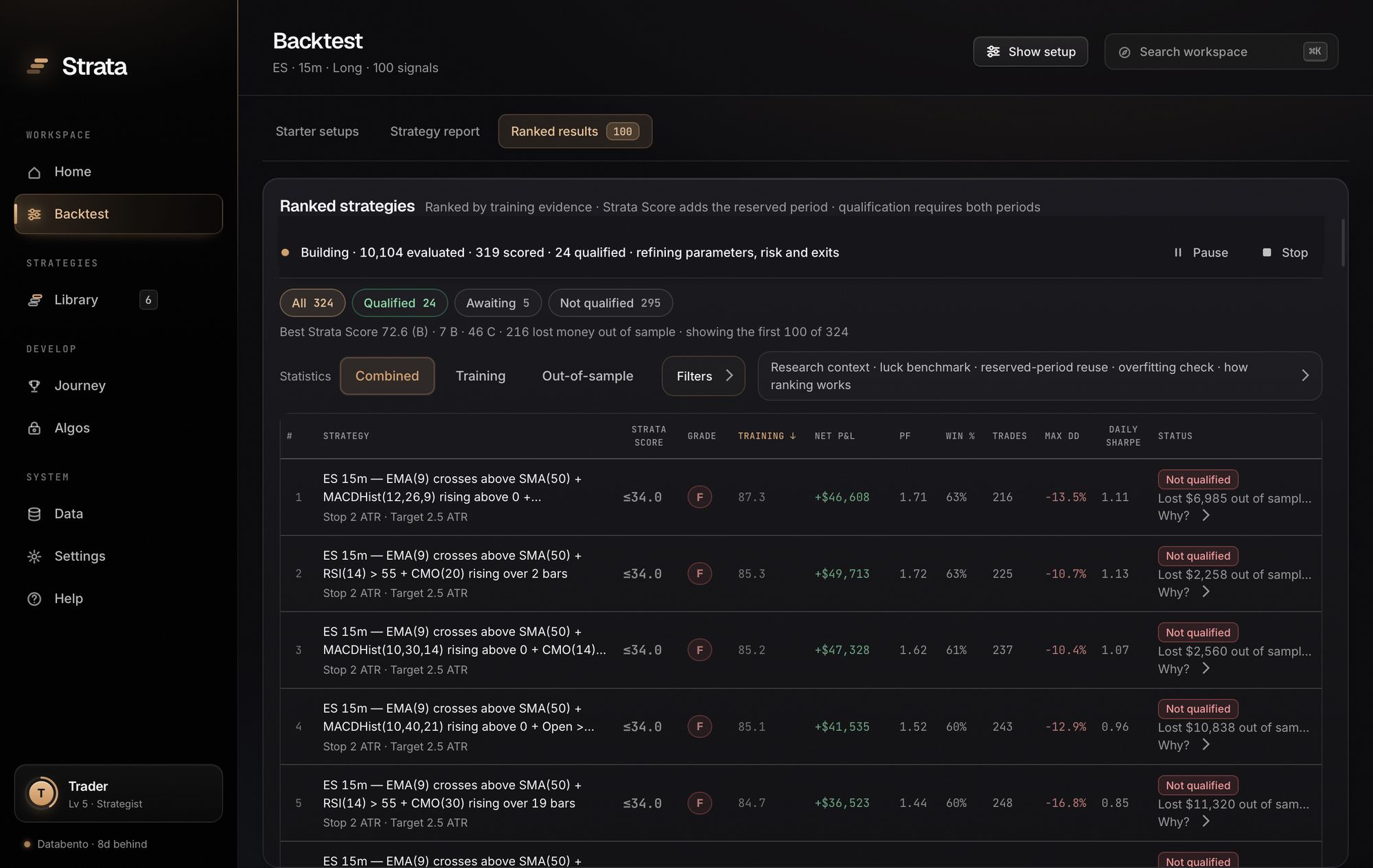
A continuous search with a ranked board.
Build tests combination after combination, refines parameters, risk and exits, and puts every completed candidate on a board you can filter, sort and open while the search keeps running.
- Training ranks, the reserved period qualifies
- Candidates are ordered by training score. Each one is then scored on the untouched reserved period, and the board says plainly which ones lost money there.
- Pause, resume, stop, restart
- Completed rows are kept. The board is saved as it runs and comes back after you quit, paused where it was.
- Sized to your computer
- Build budgets its memory from your installed RAM and keeps running when the window is covered, minimized or hidden.
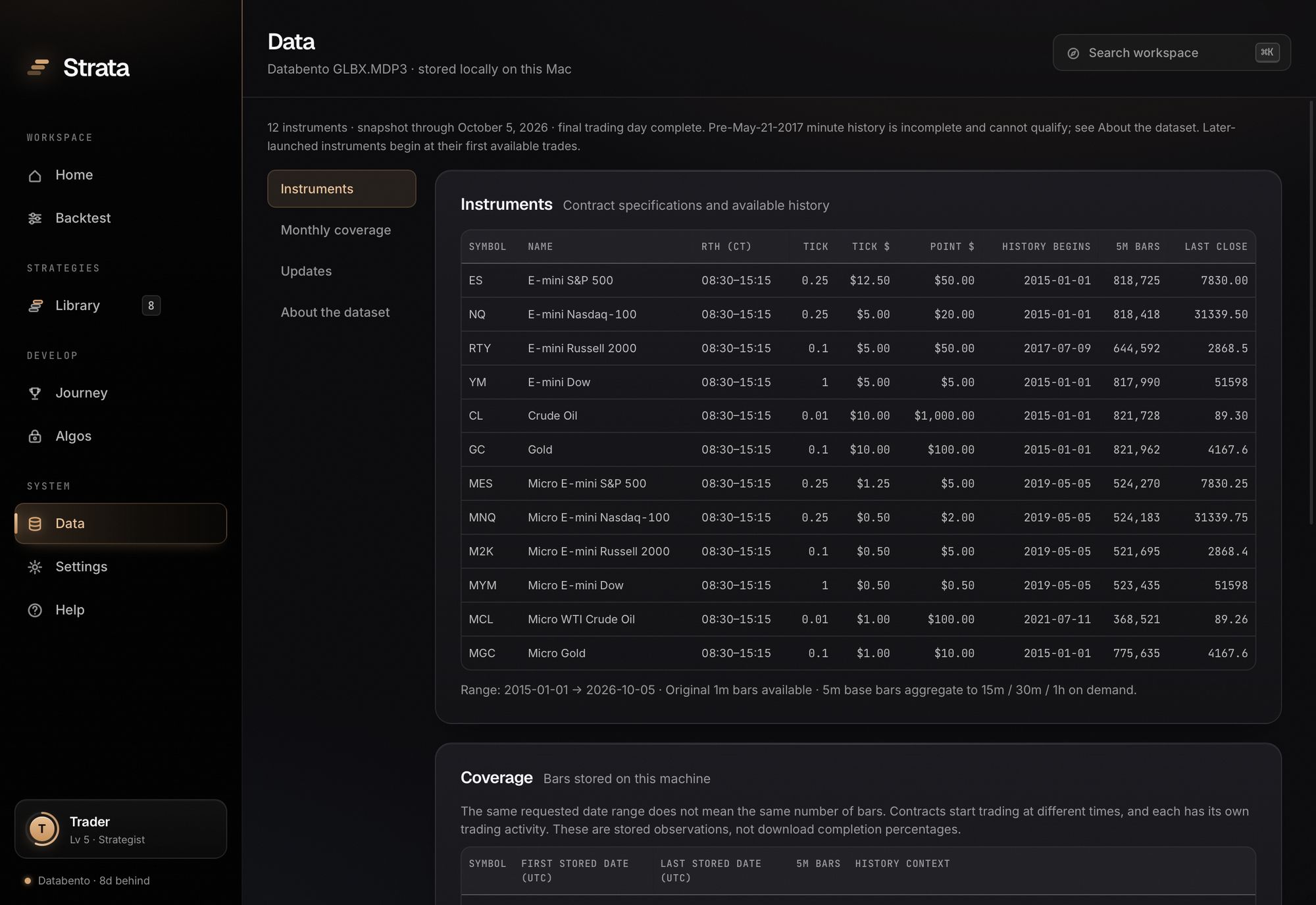
12 CME futures markets, from 1-minute to daily.
ES, NQ, RTY, YM, CL, GC and their micros (MES, MNQ, M2K, MYM, MCL, MGC), each with its own prices, volume and contract value. Volume-rolled, back-adjusted continuous series built from Databento 1-minute records.
- Timeframes: 1m, 5m, 15m, 30m, 1h, 4h, 1D
- Regular hours (08:30–15:15 CT) or electronic hours (17:00–16:00 CT), with the session written into every export.
- History from 2015, through October 5, 2026
- Results can qualify on data from May 21, 2017; the vendor flags earlier minute bars as incomplete, and Strata says so instead of filling gaps. Micros start when each contract launched.
- Provenance on screen
- The Data screen shows what is installed for each contract: first and last dates, bar counts, tick size and value, and a coverage map by month.
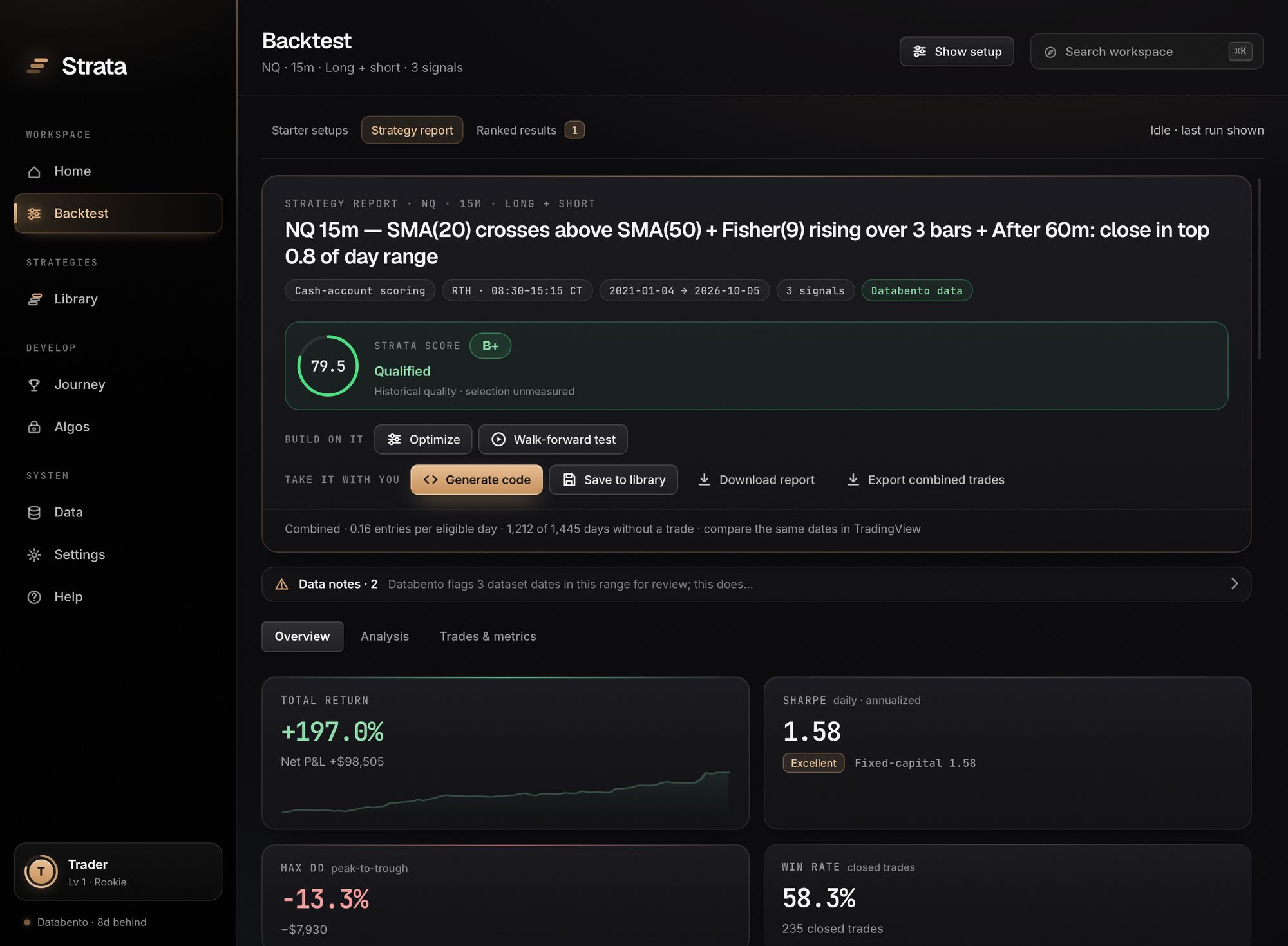
Read a result the way an allocator would.
Every run reserves the last part of your dates before testing, scores the result, and explains it in four chapters.
A score, a verdict, and the evidence behind both.
The report opens with the Strata Score, whether the strategy qualified, and the checks it did not clear. Training and out-of-sample sit on one equity curve with the boundary marked.
- Reserved out-of-sample period
- By default the final 30% of sessions are held back. Search, tuning and ranking never see them.
- Qualification
- A strategy qualifies at 60 or above with every mandatory check passed in both periods, including enough trades and sessions.
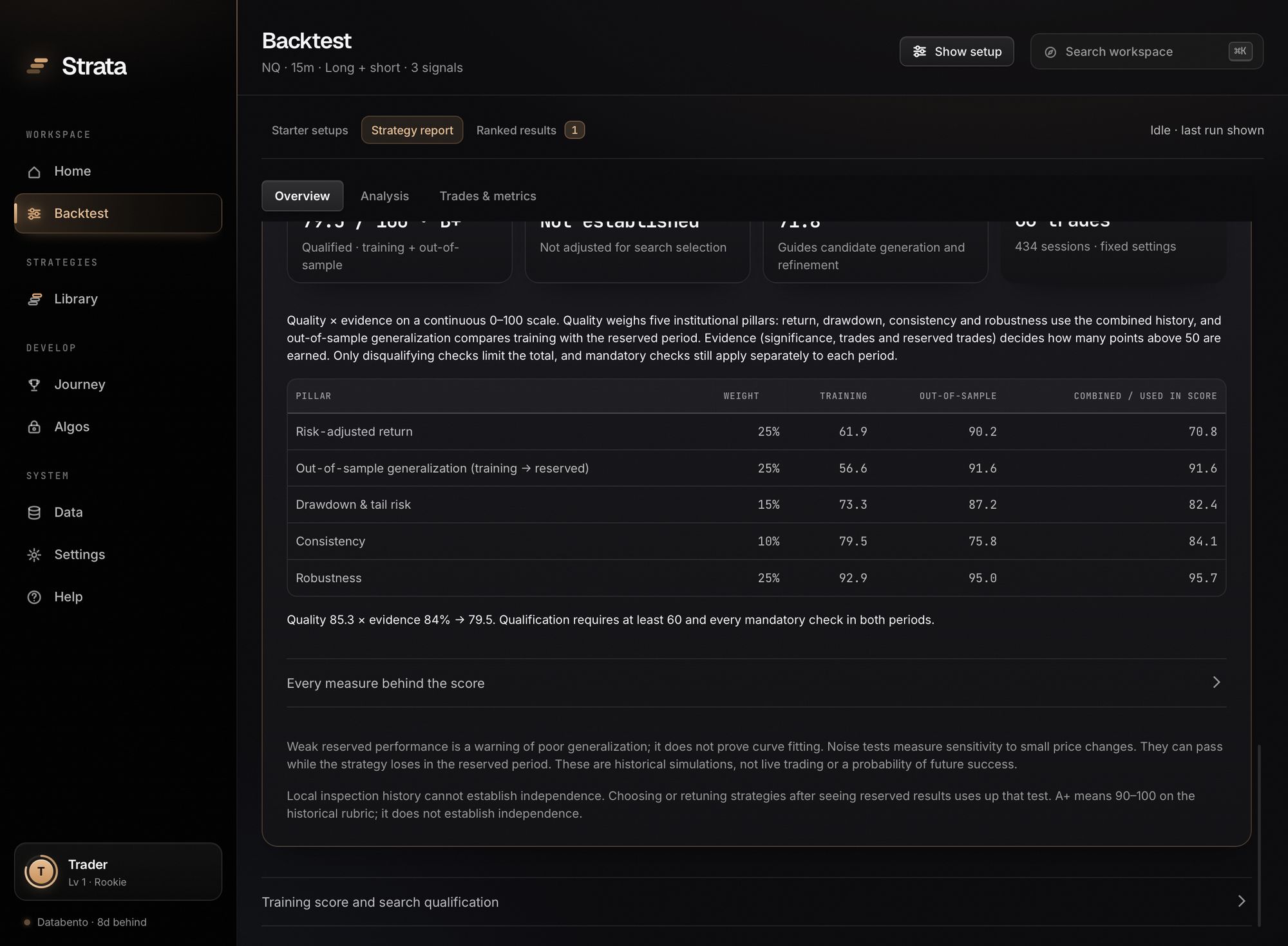
Quality × evidence, on a continuous 0–100 scale.
Five quality pillars are weighted into one number; evidence decides how many of the points above 50 are earned. The report lists every measure, its value and its points for training, out-of-sample and combined.
- No hidden ceilings
- Only disqualifying results cap a score, such as losing money in the reserved period. Everything else moves it continuously.
- Published curves
- A Sharpe of 1.0 earns 45 points, 2.0 earns 77, 3.0 earns 94. The full tables are on the Strata Score page.
A tear sheet and a trade study.
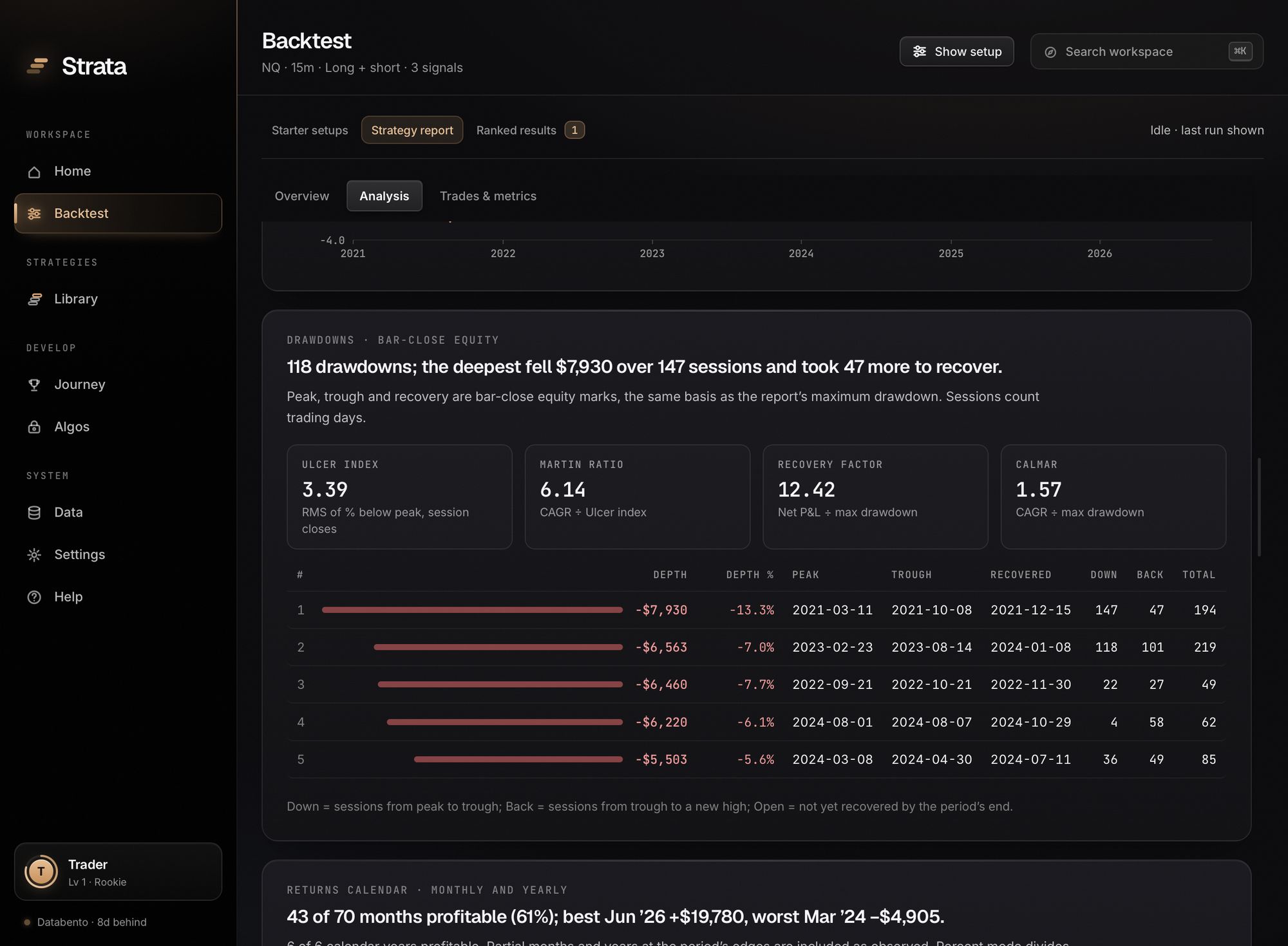
Equity against holding the contract, the five deepest drawdowns with recovery dates, rolling three-month Sharpe, a monthly calendar, the distribution of daily P&L and a ratio sheet. Then the trades: edge against break-even, R-multiples, excursions, timing and exits.
- Each chart starts with its finding
- “118 drawdowns; the deepest fell $7,930 over 147 sessions and took 47 more to recover.” You read the sentence, then check the chart.
Make the test harder and see what is left.
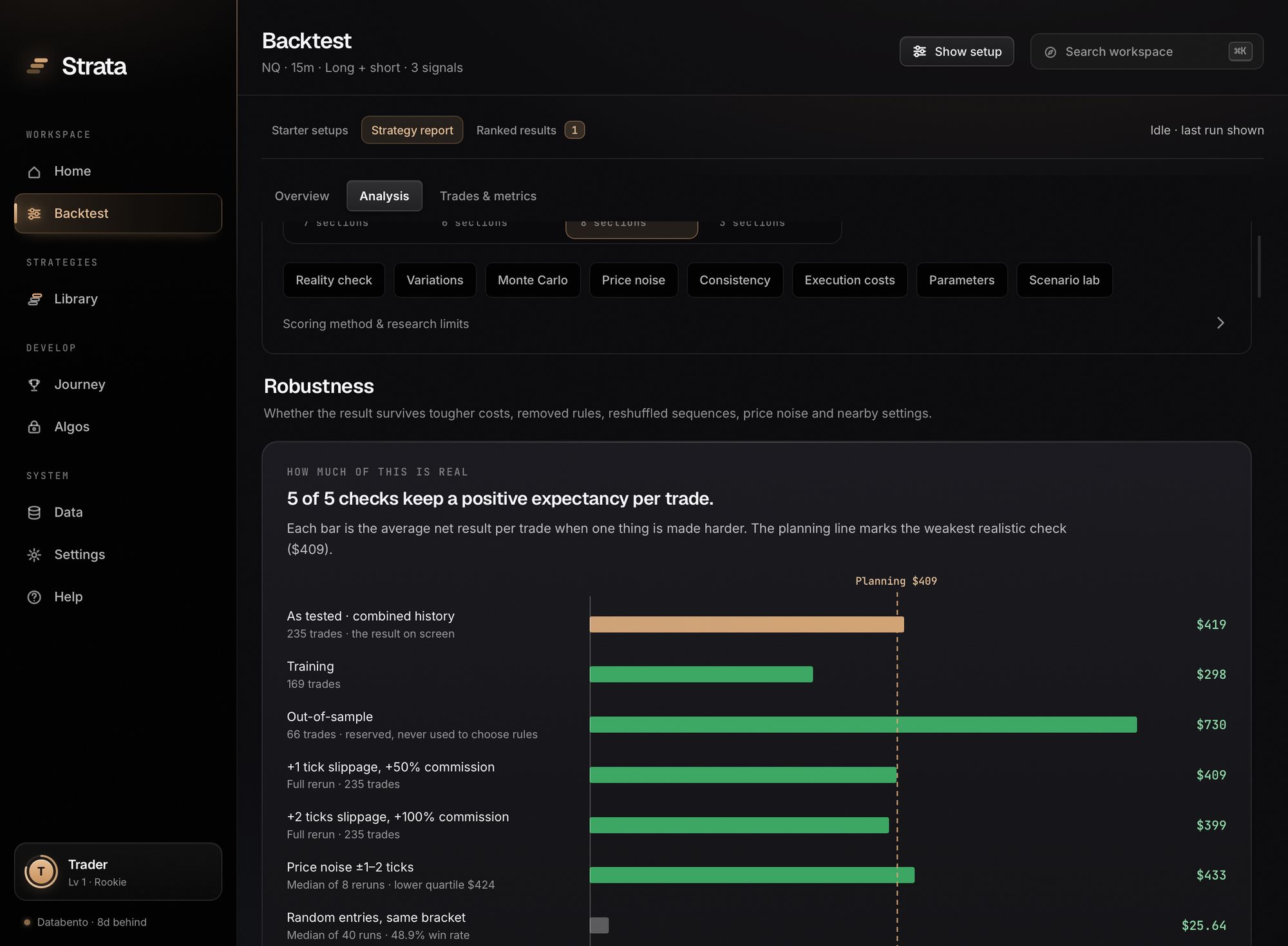
Robustness reruns the strategy under tougher conditions and shows the expectancy per trade that survives each one.
- Monte Carlo
- 2,000 daily-block bootstrap paths, with one-day and 20-day blocks as a sensitivity check.
- Costs, noise and neighbors
- Two full reruns with worse slippage and higher commission, eight reruns on prices nudged by one or two ticks, and nearby parameter settings.
- Each rule removed in turn
- See which rule does the work, and which one the strategy is better off without.
How sure can you be, given how hard you searched?
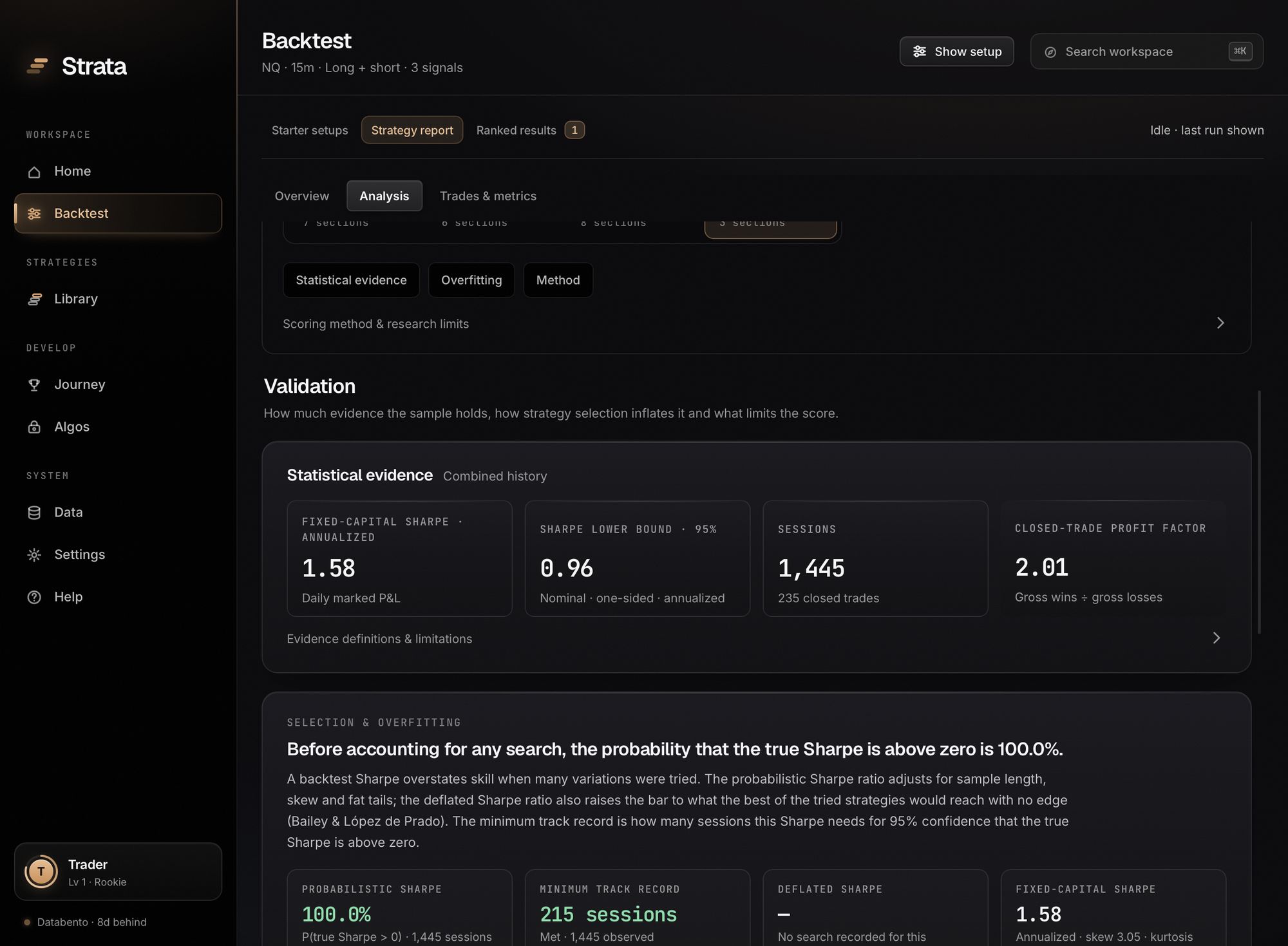
The Sharpe lower bound, the probabilistic Sharpe ratio and the minimum track record say how much the sample supports. After a Build or an optimization, the deflated Sharpe ratio raises the bar by the number of candidates tried.
- Probability of backtest overfitting
- The board can rerun its training leaders across 12,870 in-sample and out-of-sample splits to measure whether the ranking carries forward at all.
Tune it, then try to break the tuning.
Both tools open from any strategy report, keep the reserved period closed, and are built to return “no improvement” when that is the answer.
Controlled optimization with a held-out confirmation.
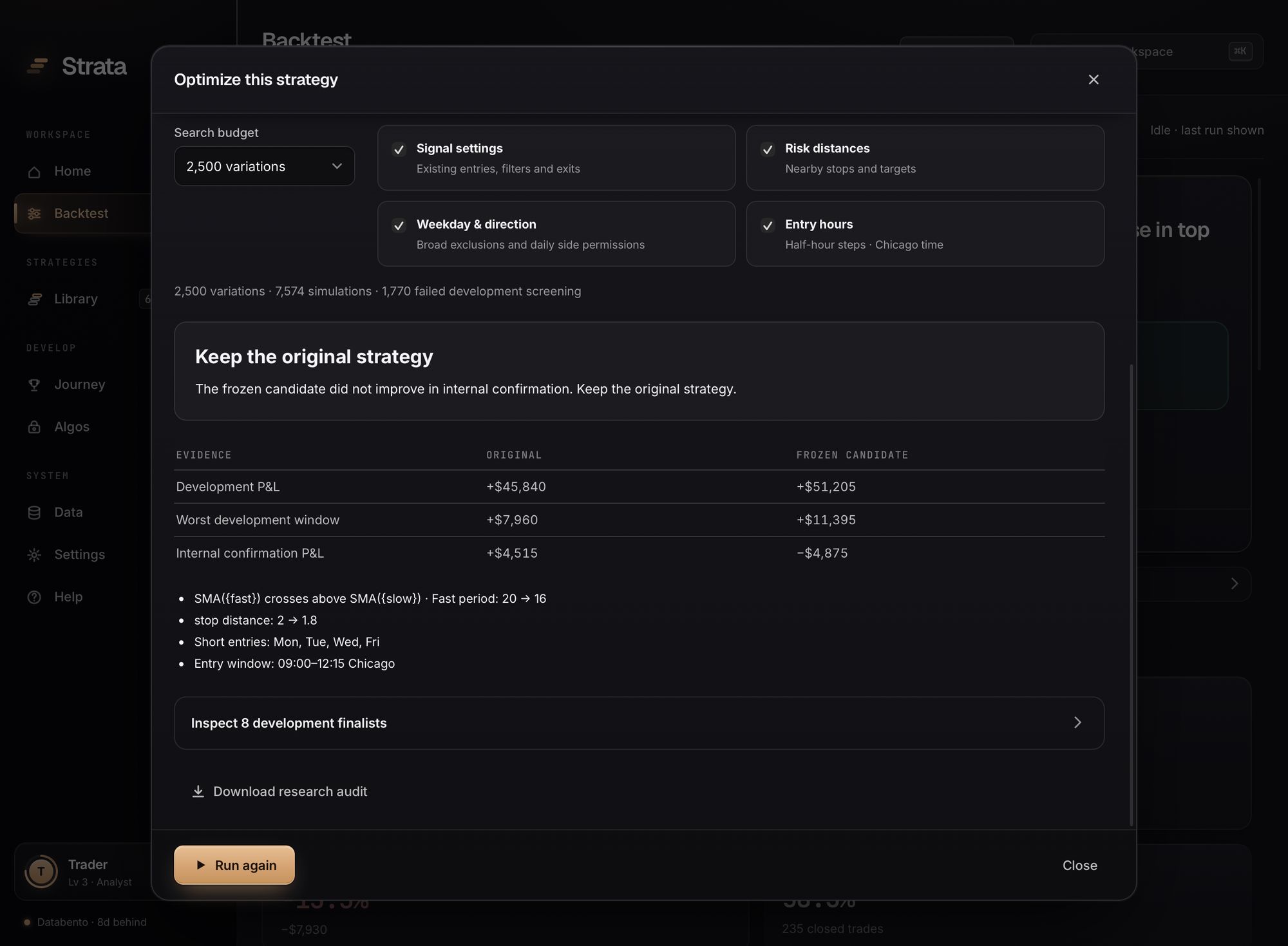
Search 1,000, 2,500 or 5,000 variations of settings, risk distances, weekdays and entry hours across three development windows. Finalists face higher costs, price noise and neighboring settings. One frozen candidate is then compared with the original on a fourth window.
- It can tell you to keep what you have
- In this capture, 2,500 variations produced a candidate that looked better in development and worse in confirmation. The recommendation: keep the original strategy.
- A research audit you can download
- Search settings, candidates, checks and the confirmation result, recorded with the engine revision.
Choose on the past, trade the next window.
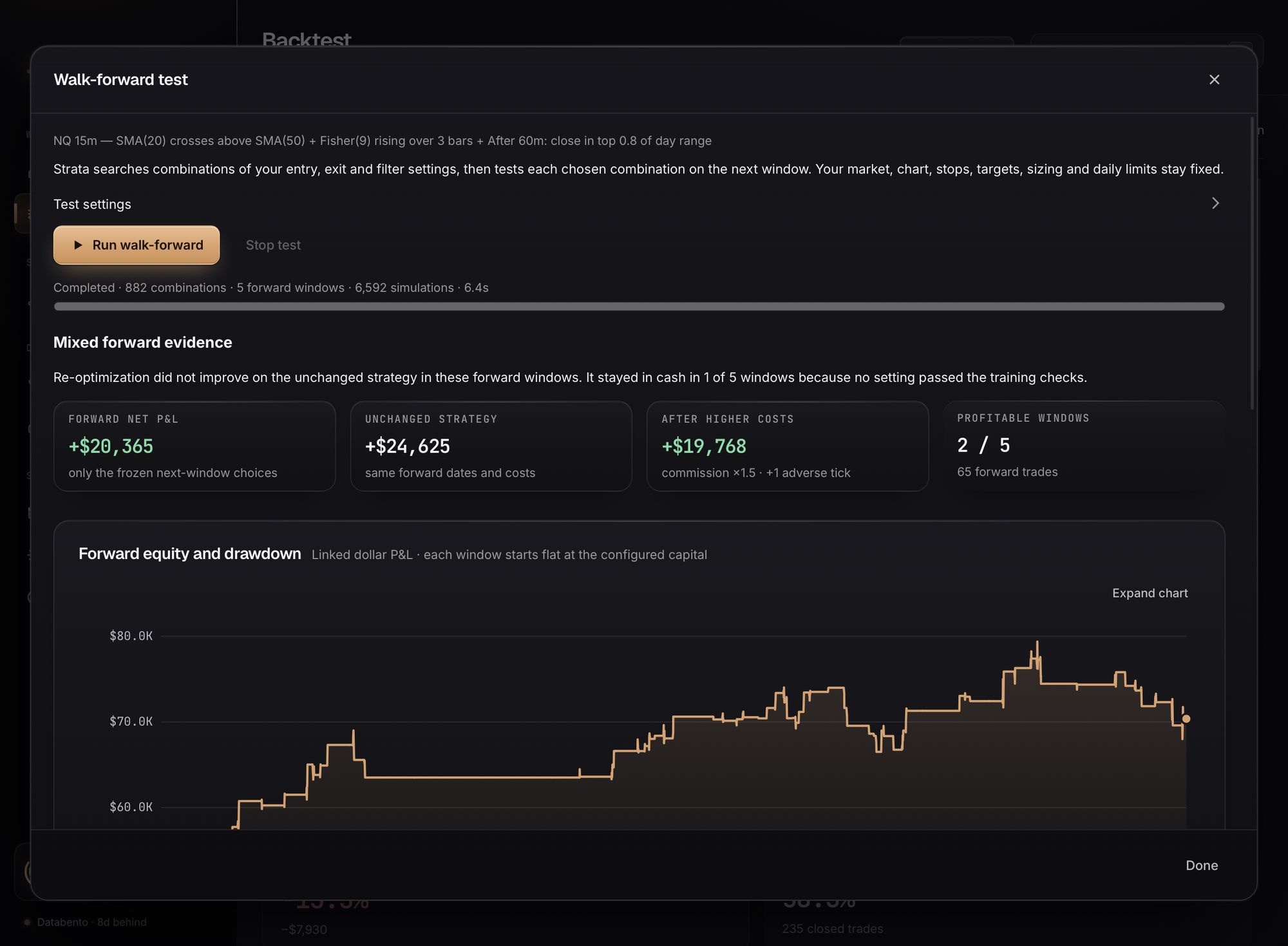
One click runs three to six forward windows. Each round searches settings on earlier sessions, freezes the choice, and tests it on the next block, then compares the result with the unchanged strategy on the same dates.
- Evidence, stated plainly
- Forward profit, the unchanged strategy, the result after higher costs, profitable windows, and a checklist of which evidence thresholds were and were not met.
Prop accounts, a library, and portfolios.
A strategy that makes money can still fail an evaluation, and two good strategies can still be the same bet.
Run a strategy against an evaluation rule sheet.
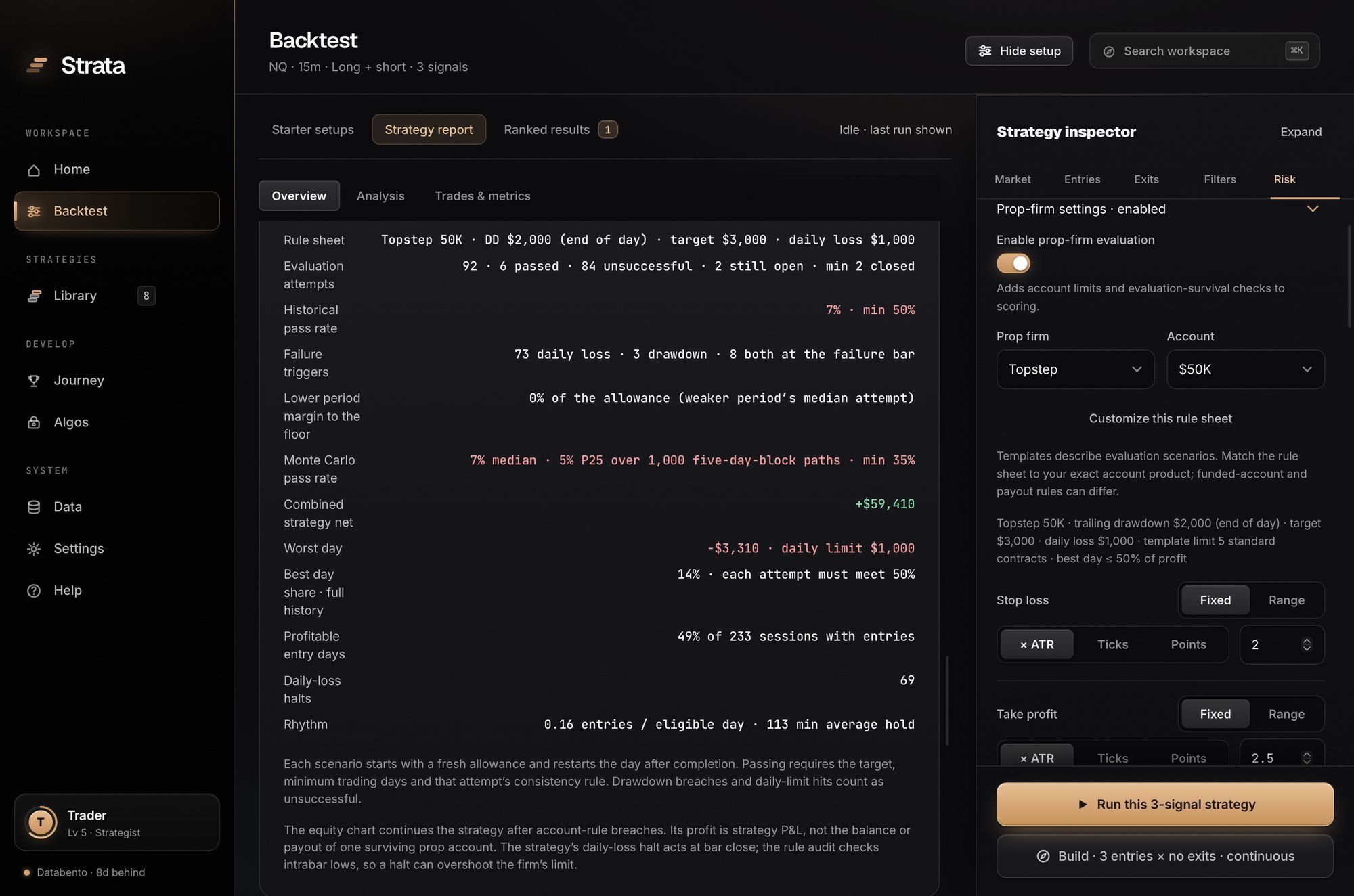
Turn on prop-firm evaluation and Strata scores the strategy as an account: trailing drawdown by type, daily loss limit, profit target, minimum days and consistency. It replays attempt after attempt and resamples 1,000 Monte Carlo paths.
- Rule templates you can edit
- Topstep, Apex Trader Funding, Tradeify (Growth and Select), Lucid Trading, MyFundedFutures, Alpha Futures, at common account sizes, plus custom rules. Firms change their rules; match the sheet to your exact account before relying on it.
- A scalping profile
- Short holding limits and ATR brackets for evaluation-style trading, with an optional entries-per-day requirement.
Keep the exact rules behind every result.
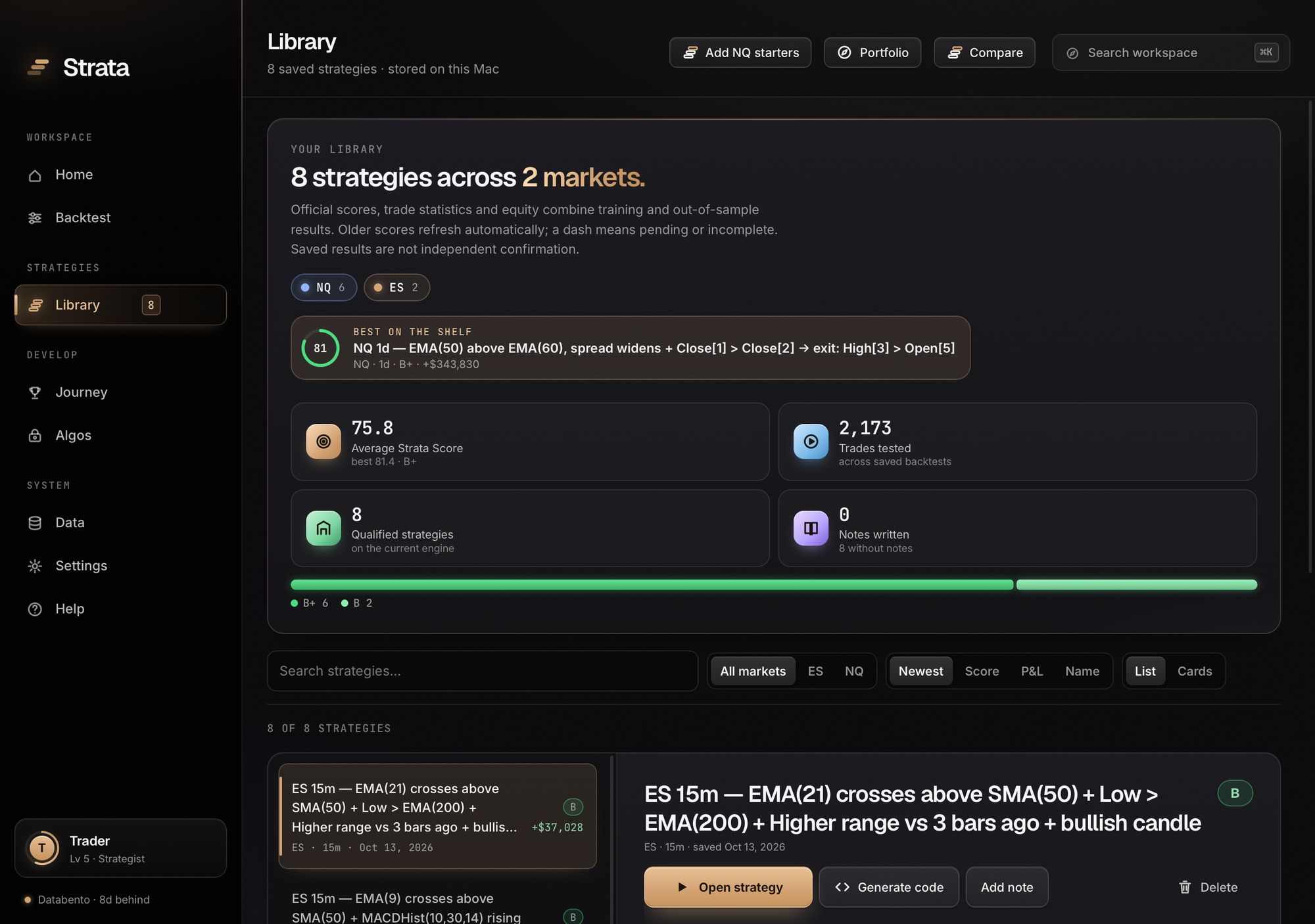
Save any report or board row. The Library stores the full strategy with its score, lets you search, sort, compare and annotate, and re-scores saved strategies when the engine or the data moves on.
- Backed up on your machine
- A dated copy of the Library is kept each time Strata opens, and the newest one is restored if the file is ever unreadable.
- Starters included
- Seven NQ starter strategies, one per timeframe, each scored by the same engine as your own work.
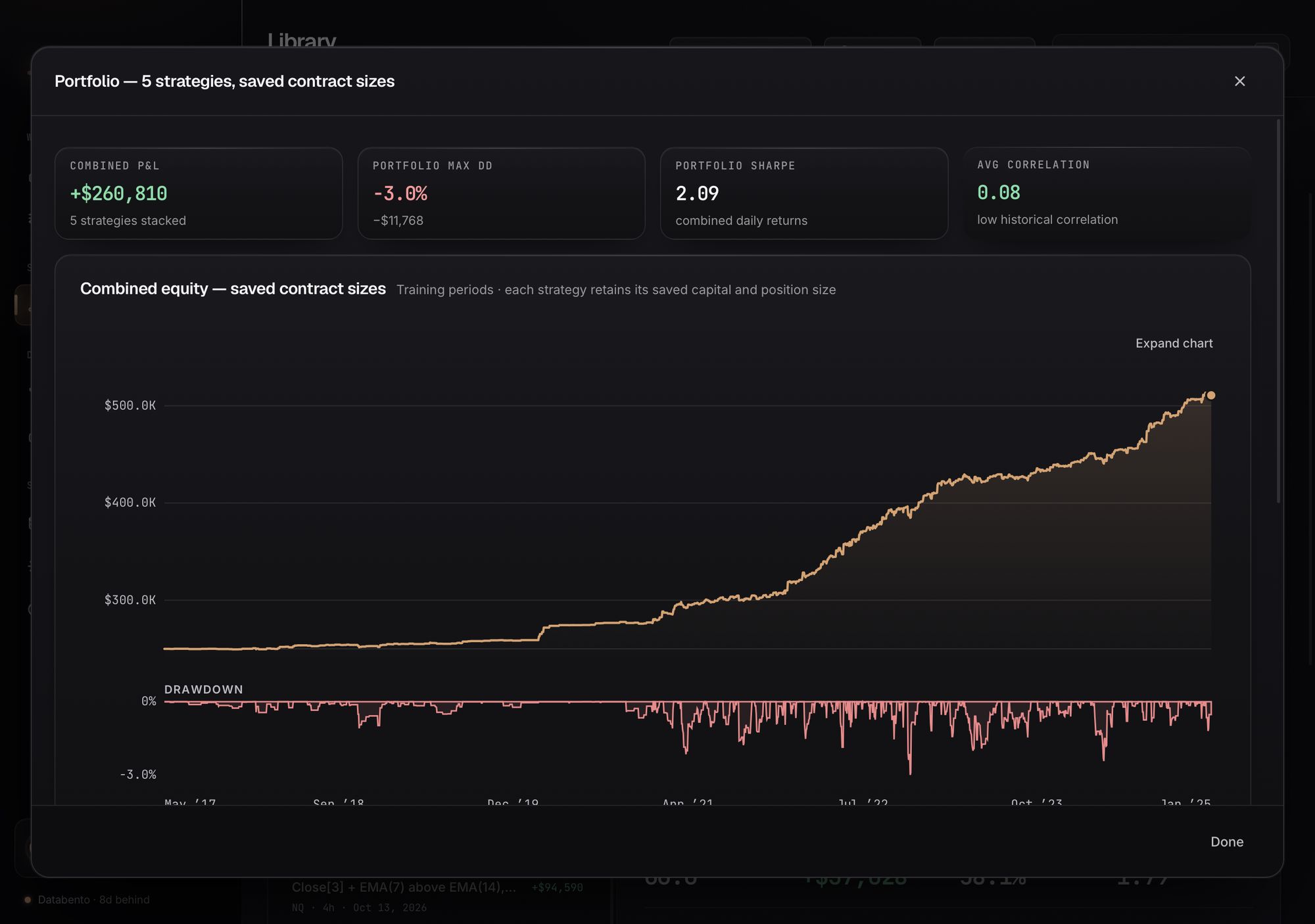
Combine 2–8 strategies and see the real overlap.
Portfolio reruns the strategies you pick at their saved sizes and stacks them on shared dates: combined equity and drawdown, portfolio Sharpe, a daily P&L correlation matrix and each strategy’s share of the profit.
Take the strategy to the platform you trade on.
Generate strategy code from any report or Library item, for one platform or both.
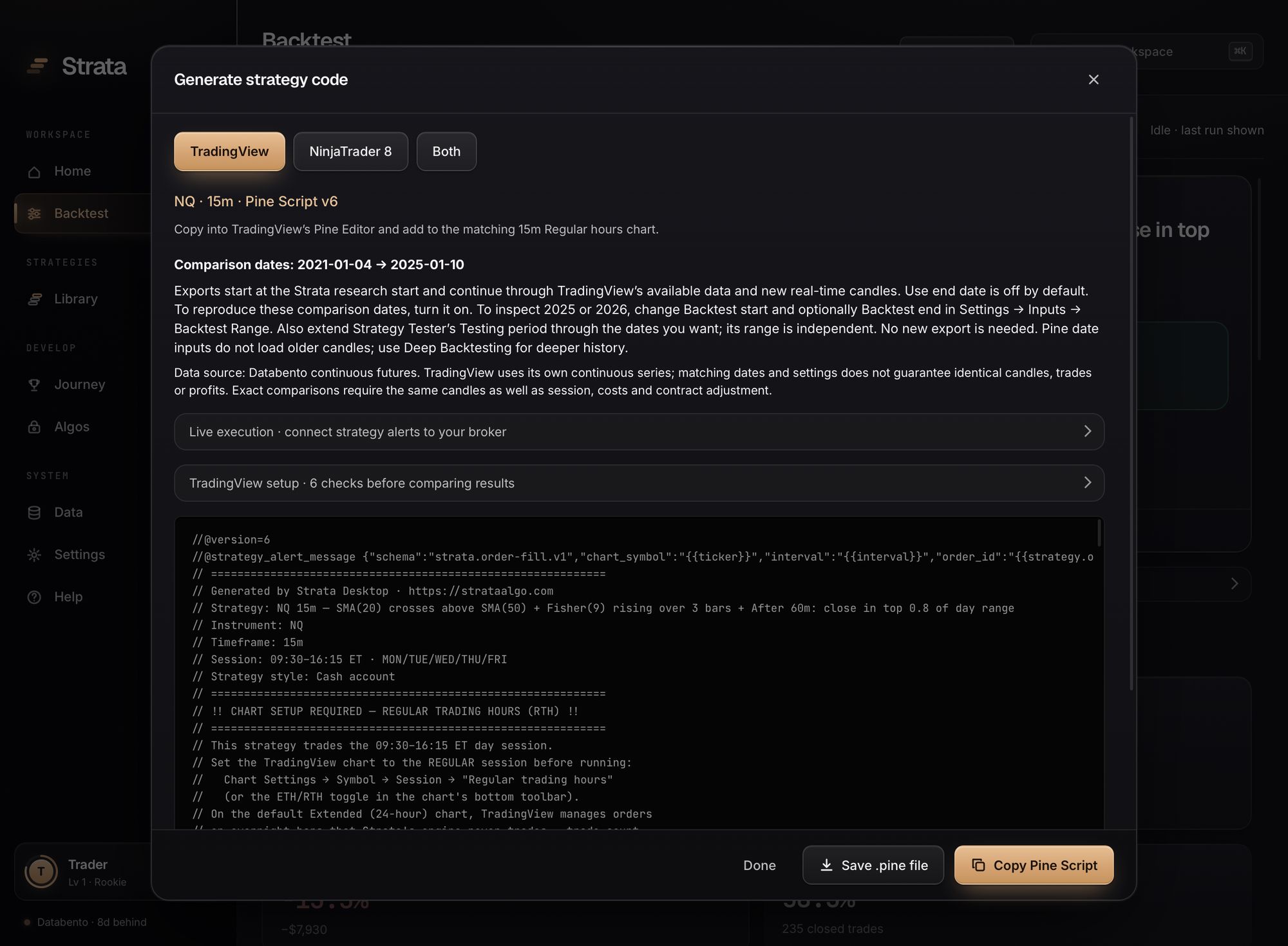
Pine Script v6 with the setup written in.
The export carries the session, comparison dates, sizing and costs, and the dialog lists the chart checks to make before you compare results. Optimized weekday and entry-hour permissions are included.
- Checked on every release
- The Pine generator is linted and semantically checked against a matrix of generated strategies each time the app is built.
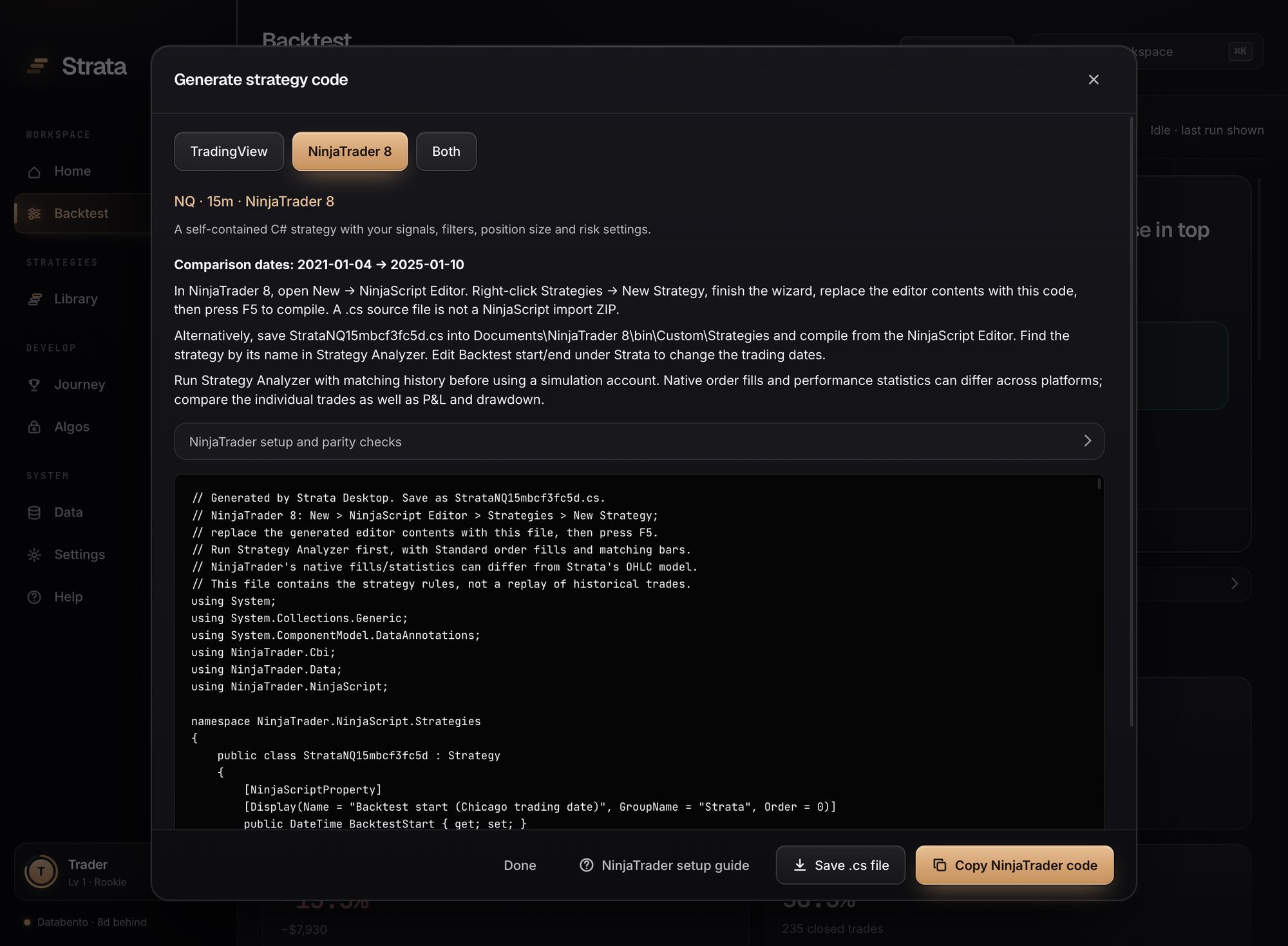
A NinjaScript strategy file, and a guide to test it.
Save the C# file into NinjaTrader, compile it in the NinjaScript Editor and run it in Strategy Analyzer. In-app guides cover trading hours, holidays, commissions and what to check when totals differ.
- Plus the data behind the report
- Trade ledger CSV, full analysis JSON, a combined-trade export and a reference alert JSON.
Exported code is a strategy definition, not a promise of identical fills. TradingView and NinjaTrader use their own data and fill models; compare individual trades before you read anything into matching or different totals.
A workspace built to be lived in.
Home, a command palette, a full guide and a record of the research you have done.
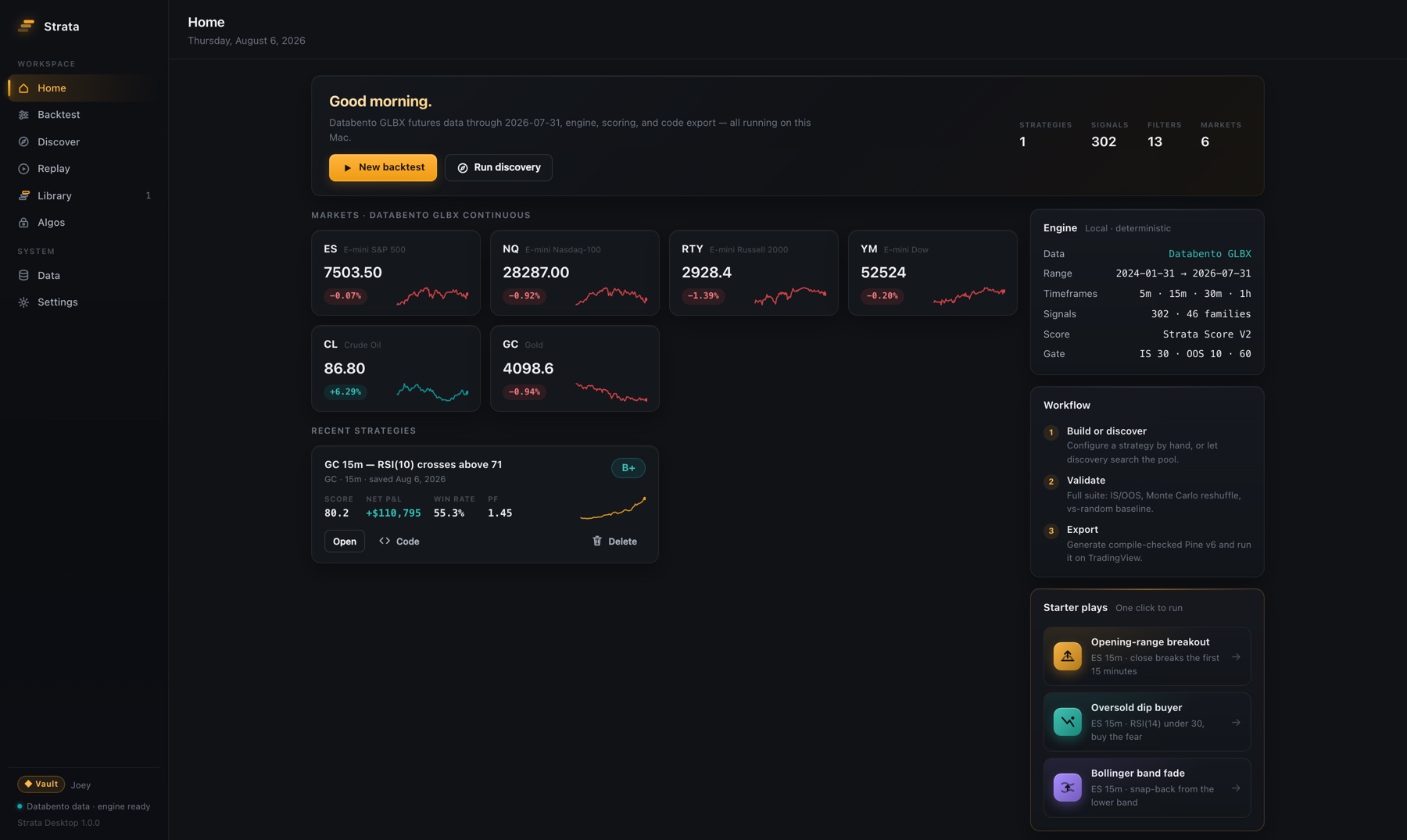
Pick up where you left off.
Home shows your latest backtest, what qualified this week, your saved strategies and today’s quests. Search anything with ⌘K (Ctrl+K on Windows) and jump between screens with ⌘1–8.
- 80 Help articles, offline
- Plain-English explanations of every metric and test, platform guides, troubleshooting, and a reference entry for every signal.
A record of the work, not a leaderboard.
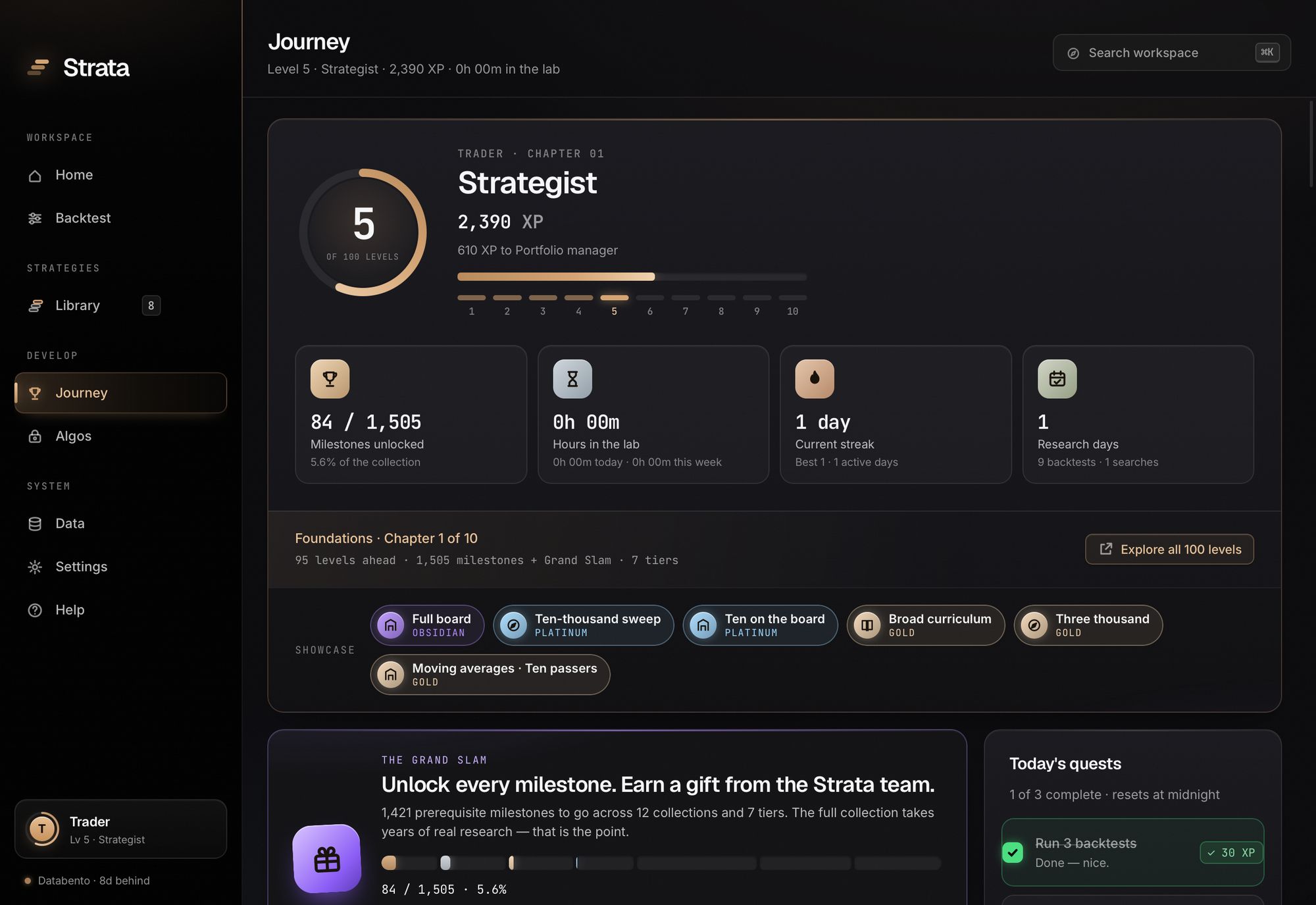
Journey tracks levels, XP, quests, lab hours and 1,500+ milestones across 100 levels. It measures research activity. It is not a trading record and says so.
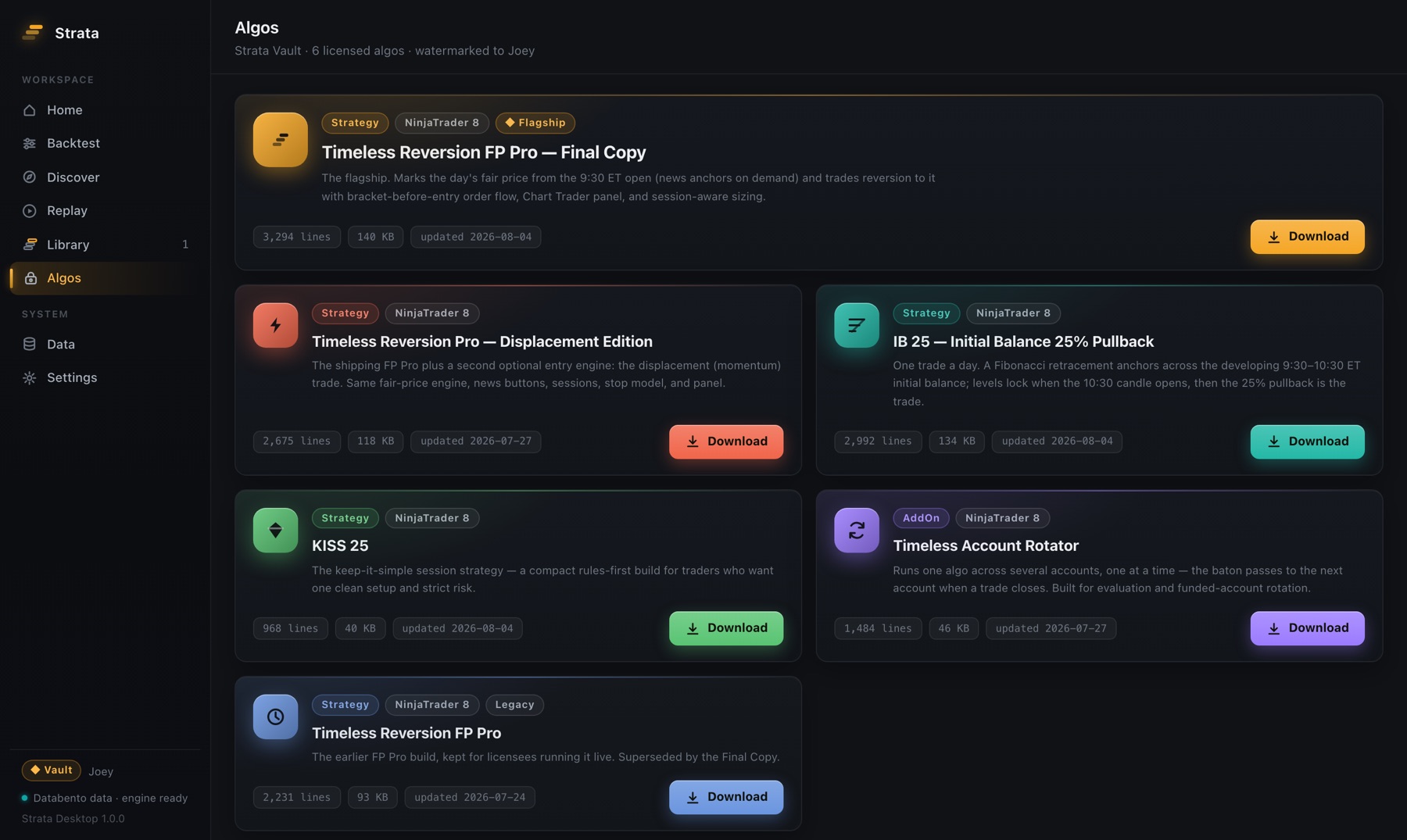
The Timeless algos for NinjaTrader 8.
With a Vault key, the Algos screen unlocks 6 licensed downloads: the Timeless strategies and the Account Rotator. Files are decrypted on your machine and watermarked to your license.
All of it runs on your machine.
Pick a plan and your download and license key arrive by email. Every plan is backed by a 14-day money-back guarantee.
Futures and derivatives carry substantial risk. Backtest results do not guarantee future returns. Strata is software, not investment advice.