From an idea to code on your chart, in five steps.
Start with an idea, search around it, read what survived, try to break it, and export it. Below is that loop in the current build, run on synthetic sample data.
Begin with a rule you can say out loud.
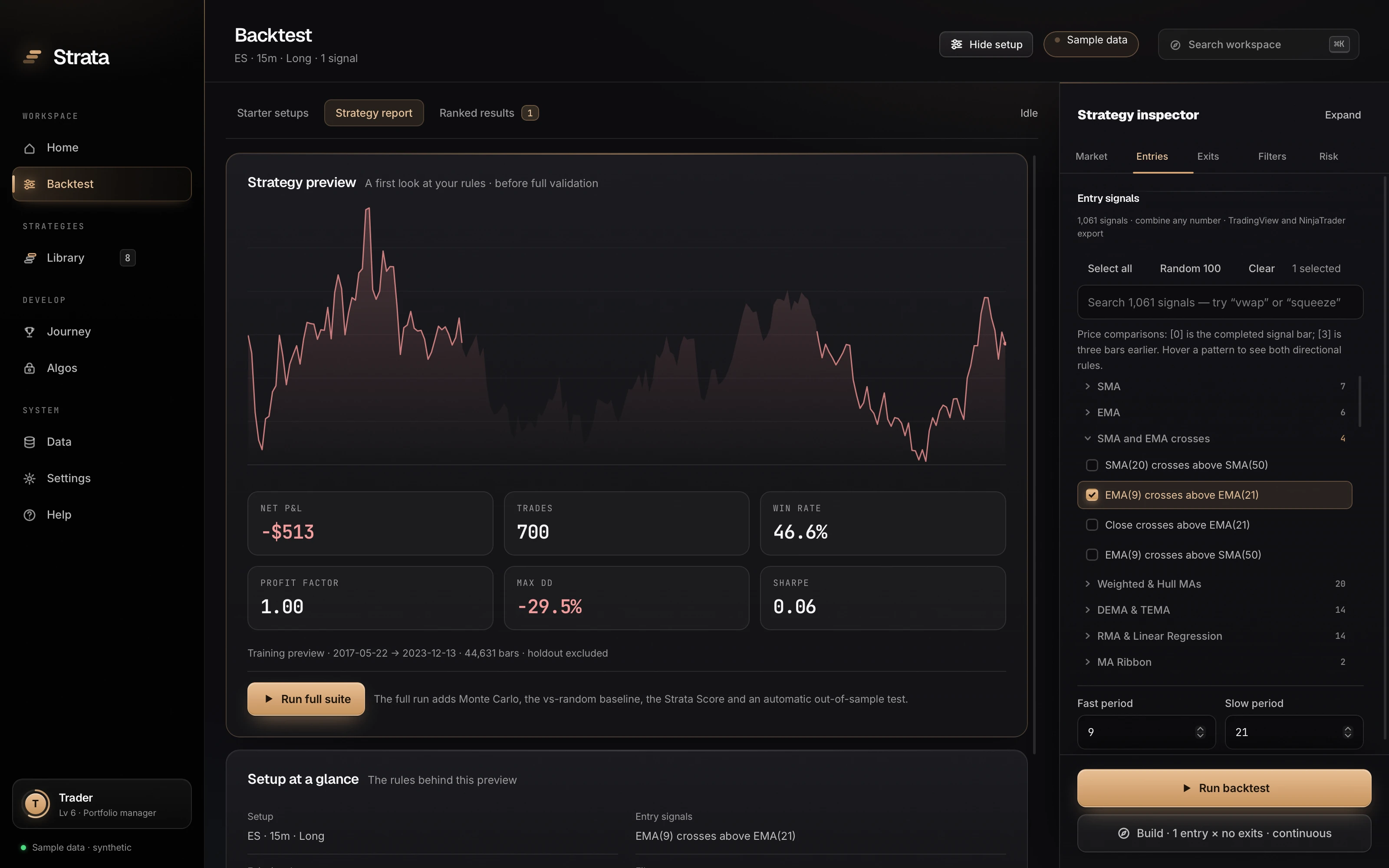
Choose a market and a timeframe, then pick from 1,058 signals, or open one of the starter strategies. Each signal is a plain rule with settings you can change, and the preview redraws as you edit.
- No code
- You compose rules from a catalog. The code comes out at the end, generated from the rules you tested.
- A preview is only a preview
- The first look uses training dates only. The full run adds the reserved period, Monte Carlo and the score.
Let the search try what you would not have.
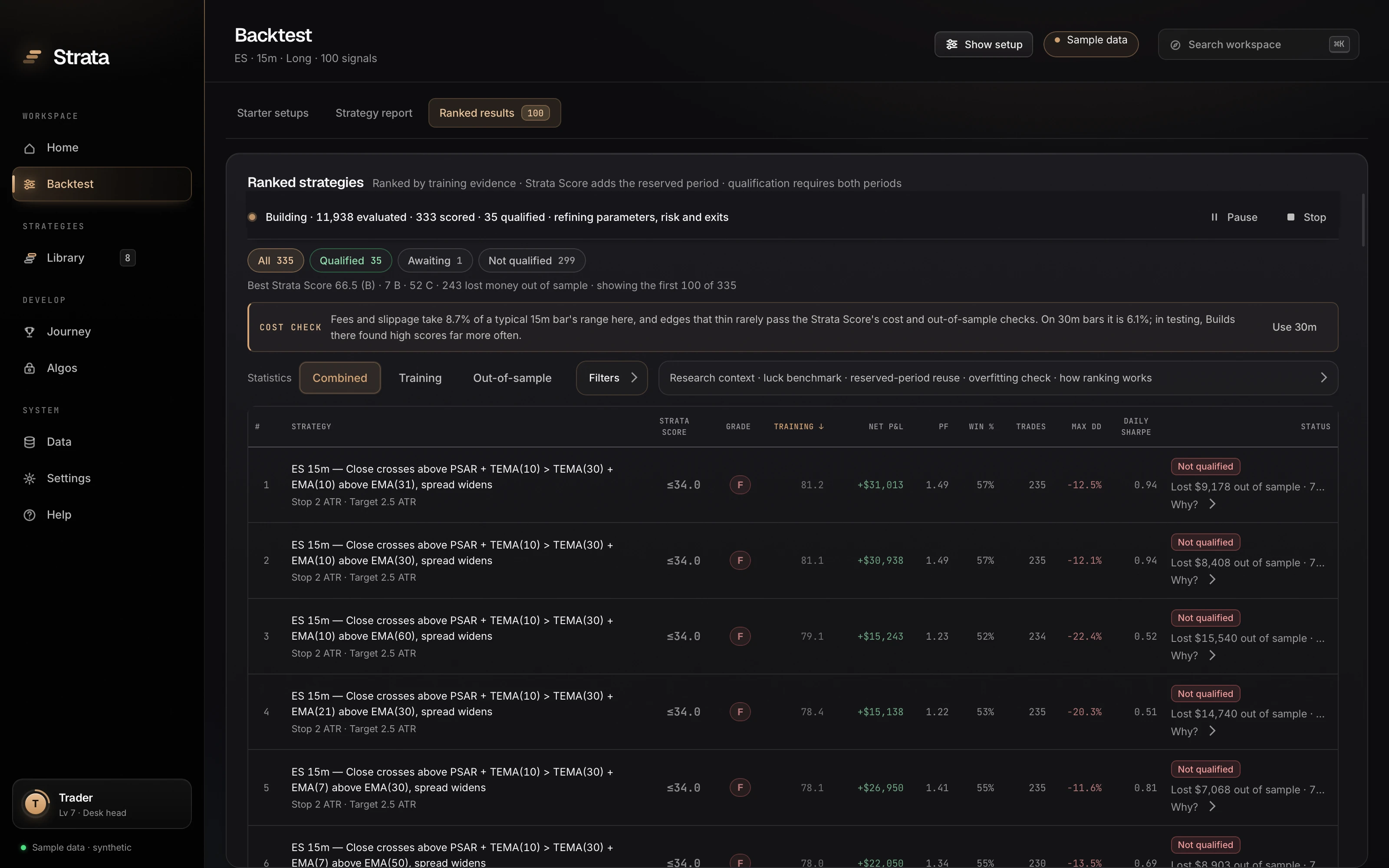
Select a pool of signals and press Build. Strata tests combination after combination on your machine, refines the promising ones, and ranks them on a board. It runs until you stop it.
- Most candidates fail, and you see it
- On this board the best training results lost money on the reserved period. Each is marked “Not qualified”, with the reason.
- Or skip the search
- Run backtest tests exactly the rules in front of you, with the same validation.
One number first, then everything behind it.
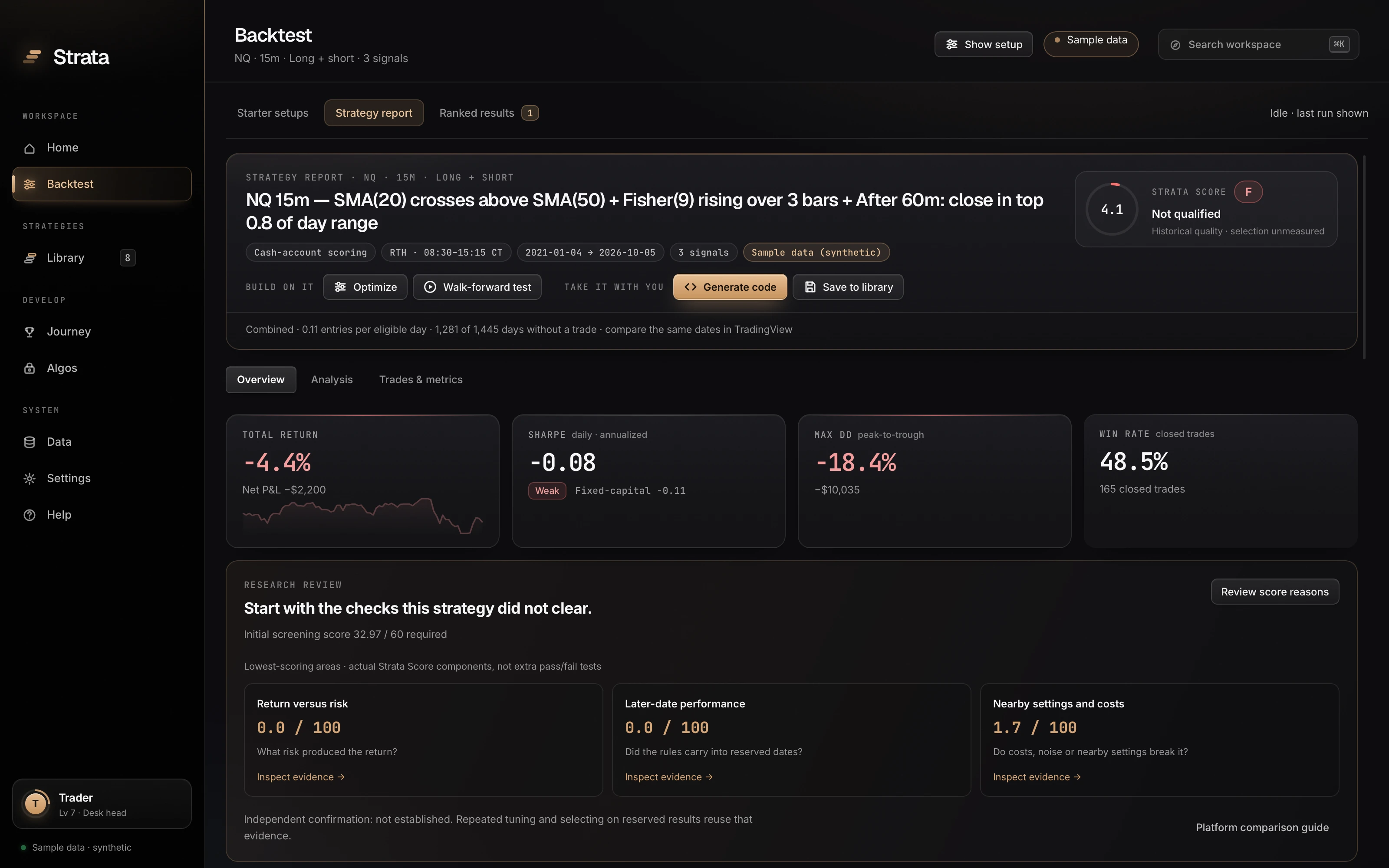
Open any result for its report: the Strata Score and grade, whether it qualified, and the weakest pillars. Then four chapters of analysis: performance, trades, robustness and validation.
- Training and out-of-sample, side by side
- The equity curve marks where training ends, so you see the period the rules were built on next to the period they never saw.
- Save what you would trade
- Save to library keeps the exact rules, the score and the evidence together.
Try to make it better. Try to make it fail.
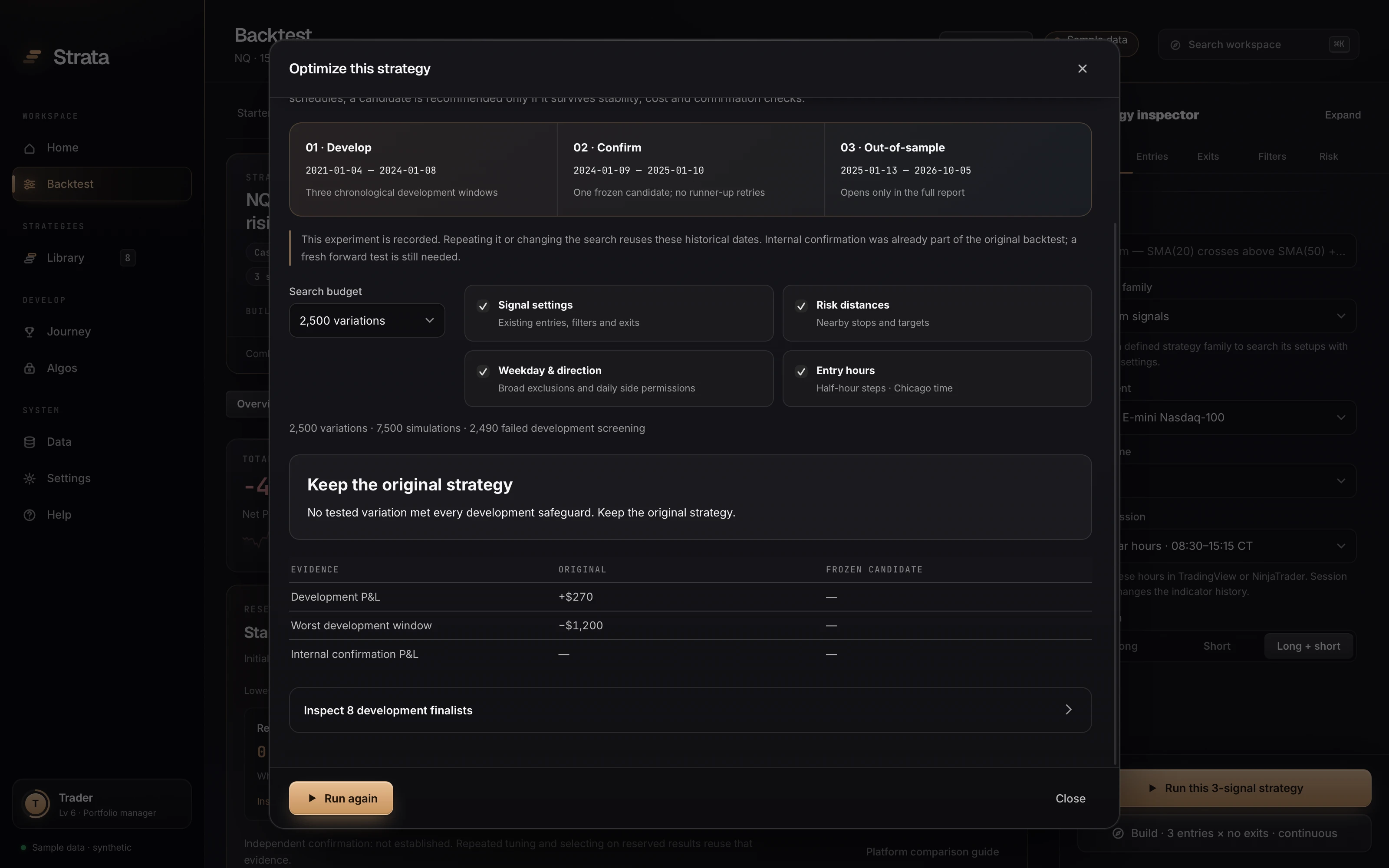
Optimize searches nearby settings and confirms one frozen candidate on a held-out window. The walk-forward test re-tunes through time. Prop-firm evaluation replays the strategy against an account’s rules.
- “Keep the original strategy”
- After 2,500 variations, none met every development safeguard. Strata recommended changing nothing.
- A different question for prop accounts
- The same strategy passed 3 of 10 evaluation attempts under a Topstep 50K rule template. A pass rate is not an edge.
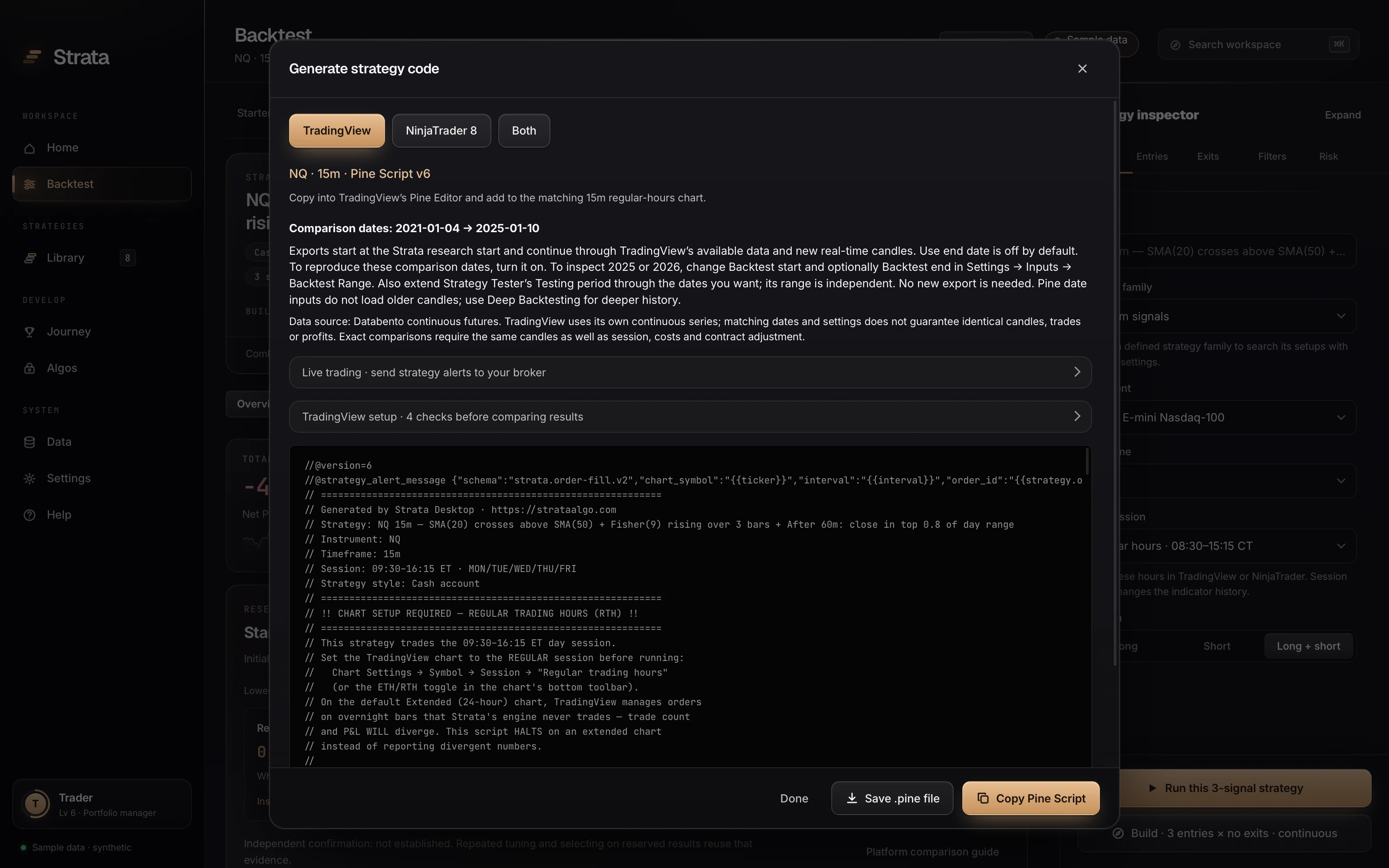
Leave with code for your platform.
Generate code produces TradingView Pine Script v6, a NinjaTrader 8 NinjaScript file, or both, from the strategy you just tested. The session, dates and costs are written in, with the checks to run before you compare.
- Then watch it unchanged
- A backtest is a research candidate. The app's guides walk through reconciling trades on your platform and observing the frozen rules in simulation before any money is involved.
Want to run the loop?
Strata is a free download. Sign in with your email, choose a plan, and the whole lab runs on your machine. Every plan is backed by a 14-day money-back guarantee.